
Vör
Record your screen, straight to the point.
A native screen recorder in the menu bar. An area, a window or a whole display, the right quality for what you capture, and an icon that turns red while you record.
Download macOS 14+ · Apple silicon · Menu barRecord exactly what you need.
Draw an area, hover and click a window, or record the display under the pointer, on one screen or several. The area is adjustable to the pixel, and Vör remembers the last one.
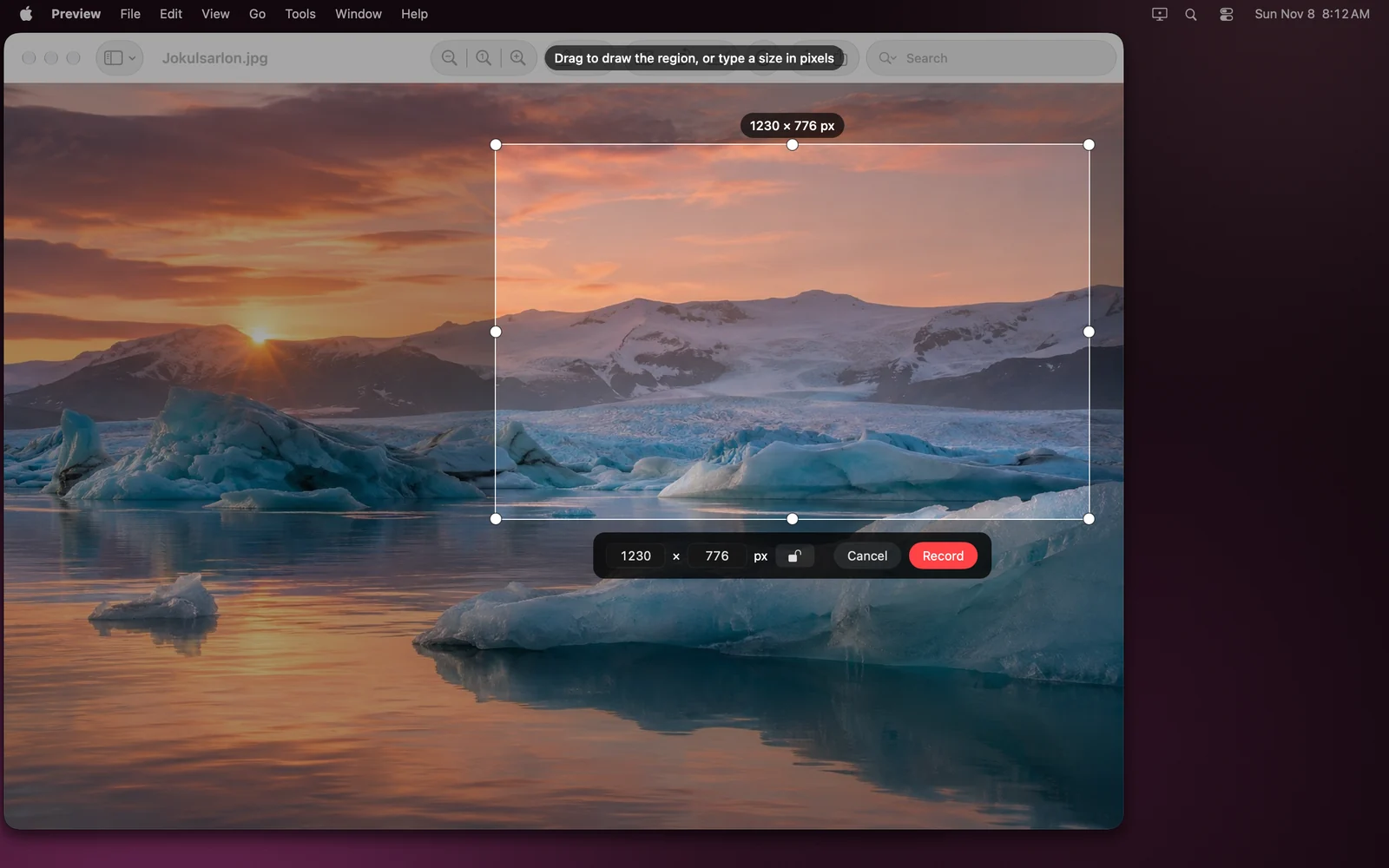
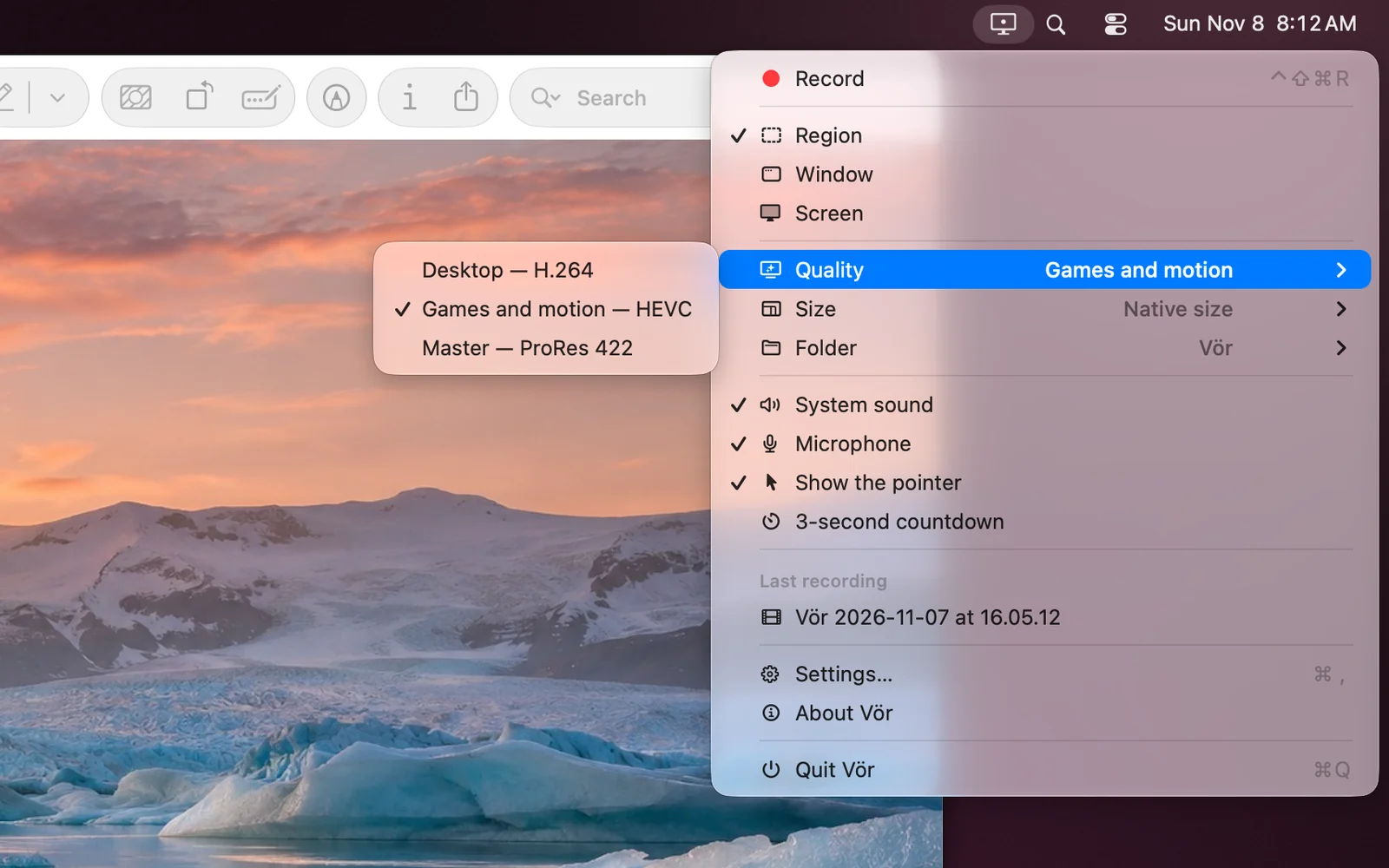
The right format for every video.
Desktop uses H.264 for light files. Gaming & motion uses high-bitrate HEVC for content that moves. Master writes ProRes 422 to a .mov, ready for editing. The bitrate follows the size and frame rate, at 30 or 60 frames per second.
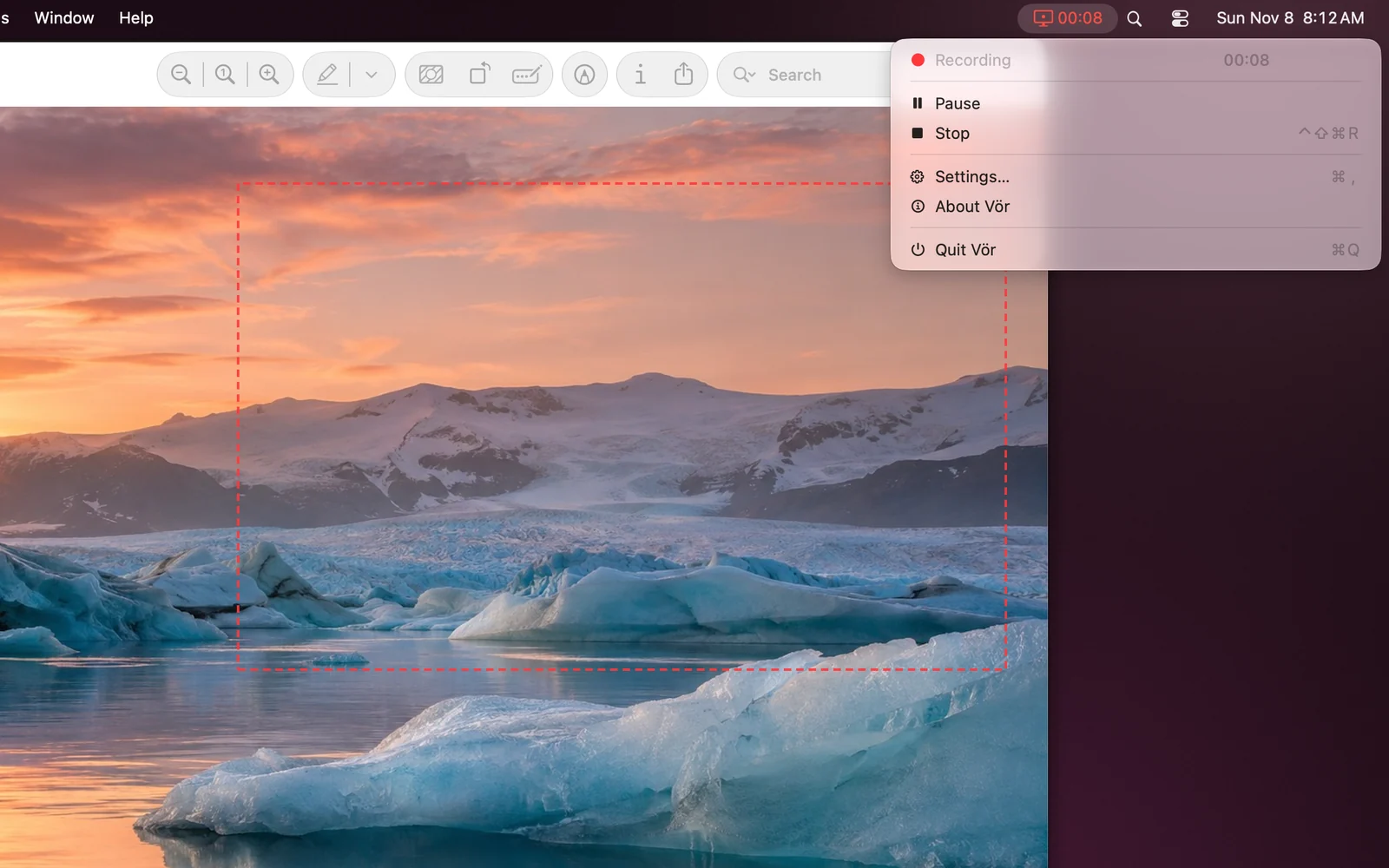
Out of the way, never out of sight.
While recording, the icon turns red and shows the elapsed time, just like the macOS indicator; one click stops. Pause and resume as you go. A subtle frame outlines the recorded area without showing up in the video, and Vör never records itself: not its icon, not its windows.
The details that matter
Precise area
Large handles, size in pixels shown and editable from the keyboard, aspect-ratio lock.
Output size
Actual size, 4K, 1440p, 1080p, 720p or custom. The picture is scaled without distortion or black bars.
System audio & microphone
Mixed into a single track. The microphone requires macOS 15.
Shortcut & countdown
A configurable global shortcut to start and stop, and a 3-second countdown you can cancel.
Your files
Pick the output folder, and open the latest recording straight from the menu.
Settings
Show or hide the pointer, open at login. Built with Swift, SwiftUI and ScreenCaptureKit.
Available Languages
Your screen stays on your Mac.
Vör records locally and saves its videos to the folder you choose. No account, no network connection, no analytics, no telemetry. It asks for Screen Recording permission, and for the microphone only if you turn it on. Requires macOS 14 Sonoma or later on a Mac with Apple silicon; the microphone requires macOS 15 Sequoia.